
How to generate content with Gixo in a real team workflow
A complete tutorial on creating review-ready articles, blog posts, newsletters, and marketing copy with Gixo. Learn how the workspace moves from brief to draft to editor to publishing.
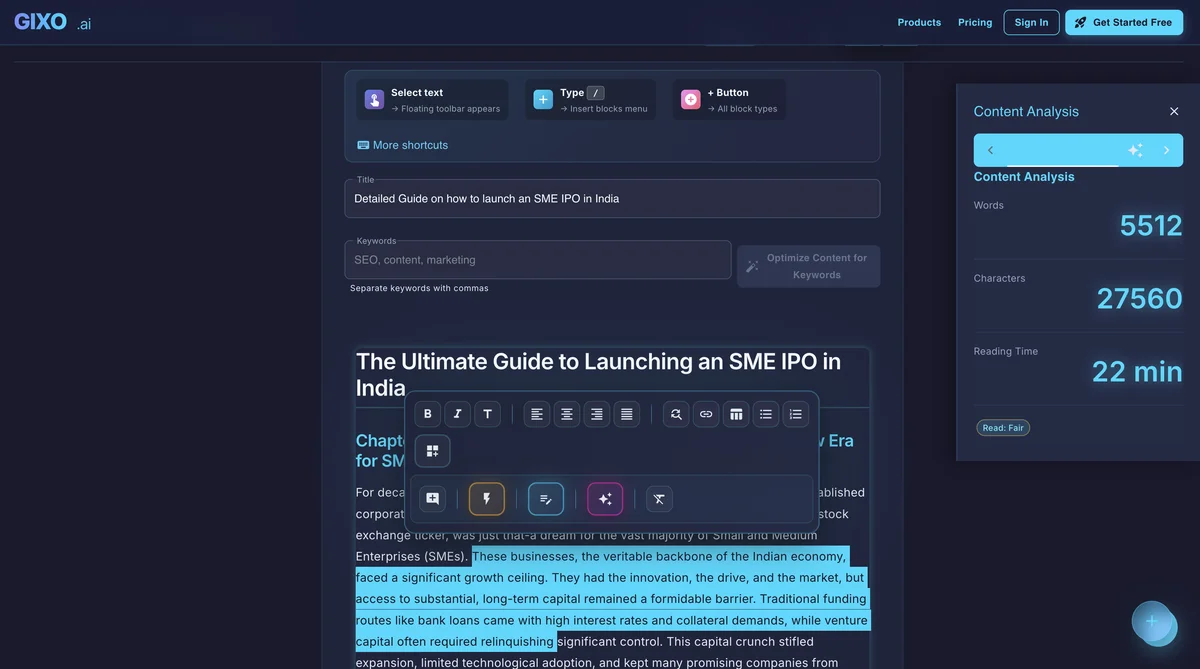
The primary content workflow moves from brief setup to a structured draft, then into the editor for refinements, publishing, and export.
What This Tutorial Covers
Everything you need to know about moving from format selection to draft generation to editor review and publishing.
Learn how to choose the right format for your goal: articles, blog posts, newsletters, marketing copy, and more, each matched to the workflow you need.
Step-by-step instructions on creating and applying Brand Voice profiles. Define your tone, style, and vocabulary to ensure every piece of content sounds like your brand.
Learn how to set audience, metadata direction, tone, and structural expectations so the draft arrives in a format your team can actually review and ship.
Generate multiple drafts at once by providing a list of briefs or topics. Ideal for publishing queues, product descriptions, or campaign clusters.
Master the rich-text editor and inline AI tools. Rewrite paragraphs, expand sections, adjust tone, and use selection-based AI commands for precise refinements.
Export to PDF or HTML, or publish directly to WordPress, Ghost, or Medium. Learn how to connect your accounts, preserve formatting during publishing, and use Substack as export.
Step-by-Step Content Creation
Navigate to the Content section from the dashboard. Choose from article, blog post, newsletter, marketing copy, or other formats. Each type has tailored generation settings.
Enter your topic, source notes, desired word count, and tone preferences. Optionally select a Brand Voice profile to apply your brand's writing style automatically. Set any specific instructions for structure or emphasis.
Click Generate and the AI produces a complete, structured piece with proper headings, paragraphs, metadata guidance, and formatting. Generation typically takes one to two minutes.
Open the content in the rich-text editor. Modify any section, rewrite paragraphs with AI assistance, add images, adjust formatting, and ensure the content meets your quality standards. Use the inline AI to expand, condense, or rephrase text.
Export as PDF or HTML for manual distribution. Or connect your WordPress, Ghost, or Medium account and publish directly. The integration preserves formatting, images, and metadata, while Substack remains available through export.
Pick the Right Content Type for Your Goal
| Content Type | Best For | Typical Length |
|---|---|---|
| SEO Article | Search engine ranking, organic traffic | 1,500 - 5,000+ words |
| Blog Post | Audience engagement, thought leadership | 800 - 2,500 words |
| Newsletter | Email campaigns, subscriber retention | 500 - 1,500 words |
| Marketing Copy | Conversion, landing pages, ads | 200 - 1,000 words |
| Technical Doc | Product documentation, guides | 1,000 - 4,000 words |
| Educational | Training materials, tutorials | 1,000 - 3,000 words |