
AI Presentation Software for Teams
Give teams one presentation workspace for source-based deck creation, workflow fit, editing, grounding, citations, and delivery, so every deck is faster to finish and easier to trust.
Why presentation teams switch
One presentation workspace for teams that need a strong first pass, outline control, theme switching, citations, presenter tools, and delivery without rebuilding the deck somewhere else.
Deck-shaped first pass
Teams switch when the first pass already understands the workflow, the section order, and the layout rhythm instead of dropping them into blank-slide cleanup.
Real control after generation
Theme changes, slide edits, layout swaps, transformations, and regeneration stay available after the deck exists, so refinement does not mean starting over.
Finish path attached
Evidence checks, citations, speaker notes, present mode, and exports stay on the same deck instead of being rebuilt in a second presentation tool.
Consistent Presentations Across Your Organization
Create a finished presentation in one workspace, with outline planning, workflow-specific structure, slide editing, citations, presenter tools, and export attached to the same deck.
Keep decks grounded to source material and approved web research when needed. Gixo extracts key claims, highlights what needs verification, and surfaces citations, attribution, and trust status inside the deck viewer.
Every presentation your team creates can start from the same workflow-aware structure, theme direction, evidence expectations, and delivery path instead of ad hoc slide assembly.
28 active themes are available across the team. Standardize on theme directions by workflow and audience without locking people into one static template.
Multiply your team's output. Anyone can generate professional presentations in minutes, freeing up designers and specialists for higher-value work.
The AI handles design decisions. Team members just provide the topic and choose a theme. No design training, no style guides to memorize.
Each team member can edit and customize their generated presentations while the underlying theme and professional quality remain consistent.
Present in the browser, review citations, share a link, or export the same finished deck as PPTX, PDF, HTML, and slide images.
Proof from the actual deck workflow
Citations, speaker notes, present mode, and PPTX, PDF, HTML, and slide-image exports stay attached to the same deck.
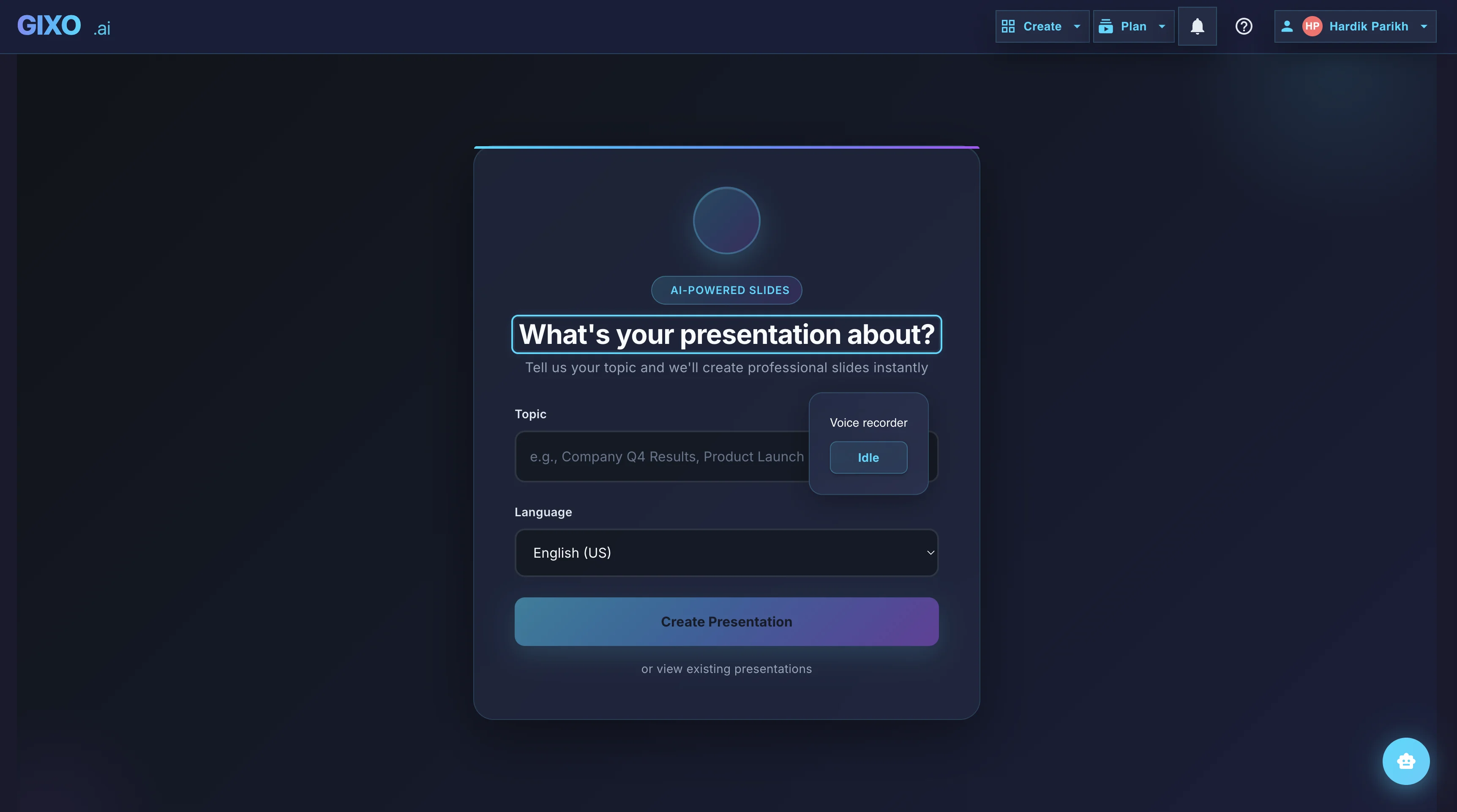
Outline First
Deck creation starts from source material and workflow fit, so the structure is reviewable before the full deck is generated.
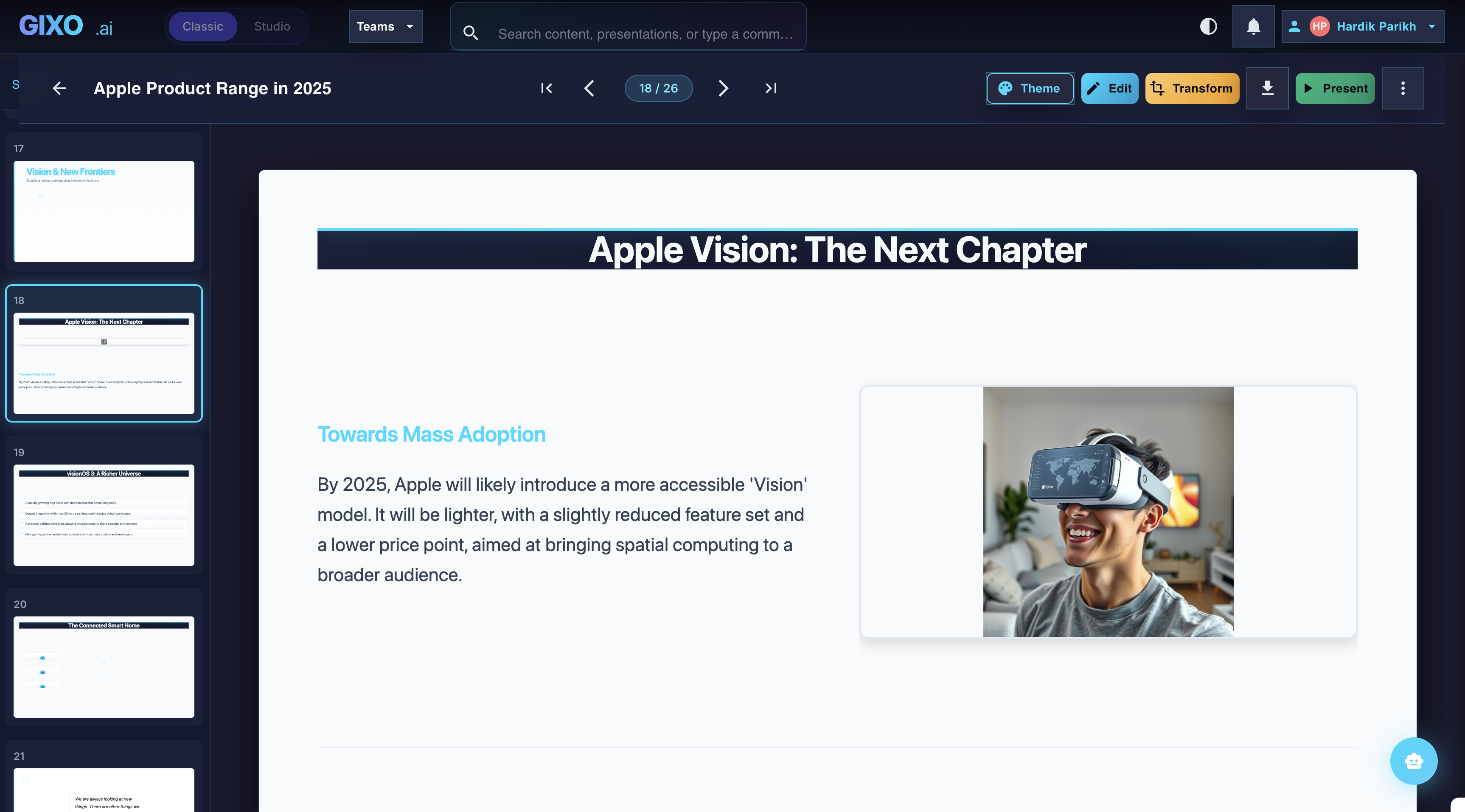
Edit the Finished Deck
Theme changes, slide-level edits, transformations, and layout control stay inside the same workspace after the first pass lands.
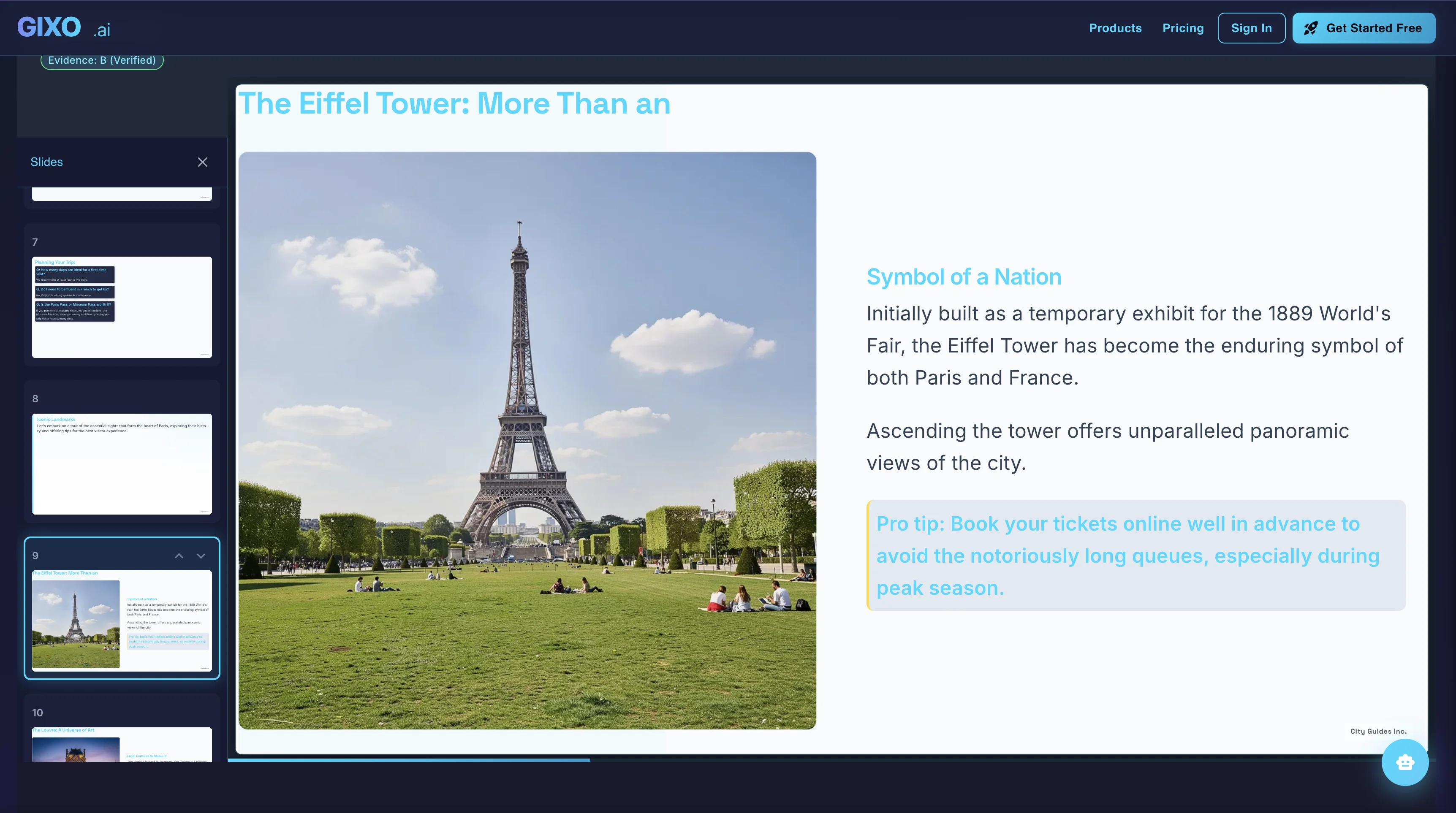
Present and Export
Presenter notes, citations, shareable delivery, and exports belong to the same deck instead of being rebuilt in another presentation tool.
How Teams Use Gixo
Choose the themes that represent your organization. Standardize on specific themes for different use cases — client presentations, internal updates, executive briefings.
Anyone on the team describes what they need to present. No design skills required — the AI handles all visual decisions.
Every generated presentation follows the same professional standards. No variance in quality regardless of who creates it.
Team members add their specific data and content, then export to PDF or present directly. Consistent quality, individual content.
Team Presentation Tools Compared
Compare Gixo for teams against traditional shared tools.
| Feature | Gixo | PowerPoint + Templates | Google Slides |
|---|---|---|---|
| AI deck generation | Yes | No | No |
| Design consistency | AI-enforced | Template-dependent | Inconsistent |
| Training required | None | Significant | Moderate |
| Professional themes | 20+ | Custom templates | Basic |
| Speed per deck | Minutes | Hours | Hours |
| AI image generation | Built-in | No | No |
| Brand alignment | Automatic | Manual enforcement | Manual enforcement |
| PDF export | Yes | Yes | Yes |