
Workflow-specific products Content, decks, briefs, proposals, legal, and sales each have a clearer buying path.
Review before delivery Draft, edit, collaborate, approve, and export in the same workspace.
Security + procurement path Security policy, support, and Azure Marketplace buying are public.

How to create a business brief with Gixo from your files

A simple walkthrough for turning reports, notes, and source documents into a business brief you can review, improve, and share.
Create a Brief See brief product
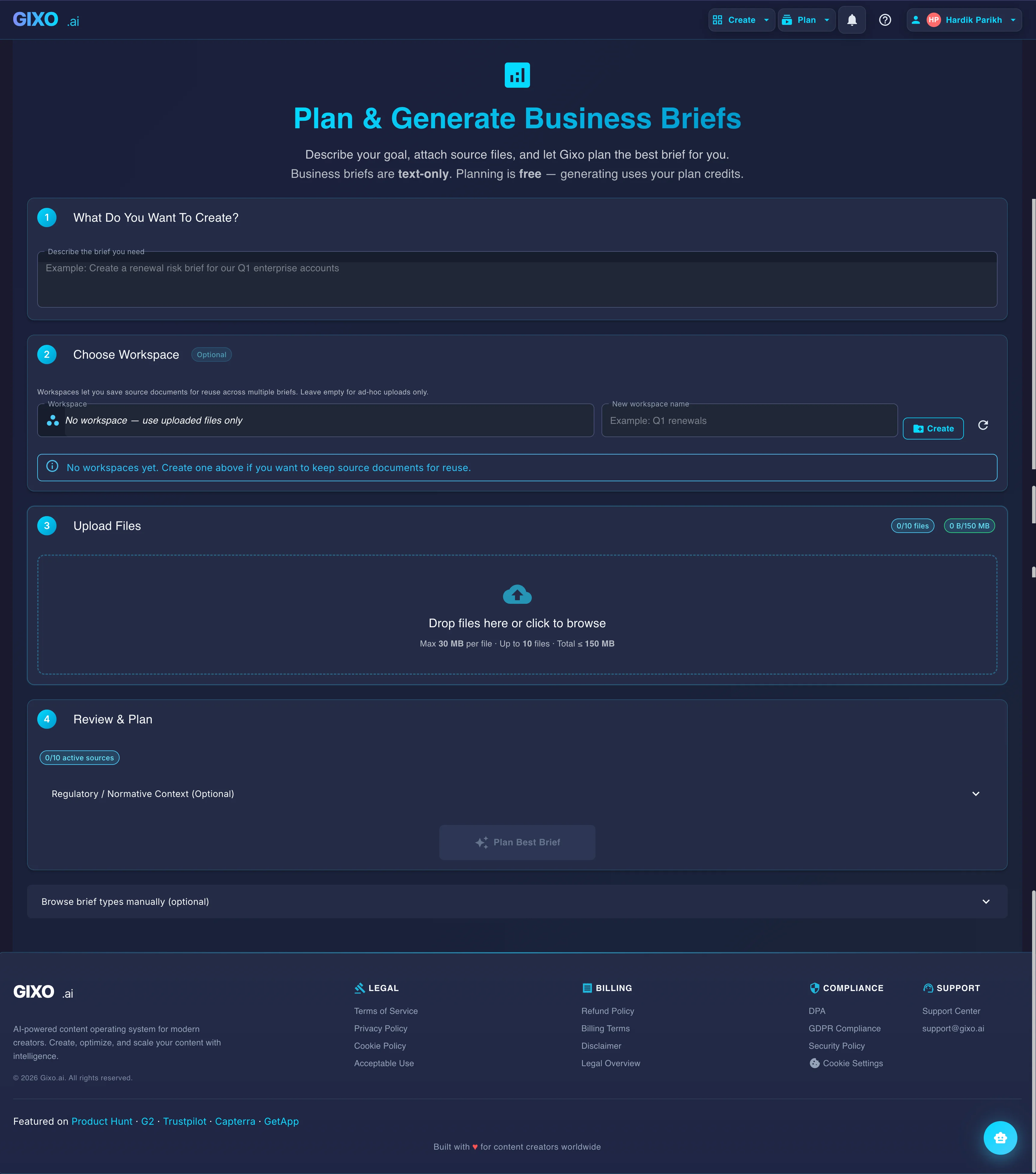
Gixo Business workspace showing uploaded source files, brief generation, and review controls

The briefs workflow combines source files, format selection, editing, and export so one workspace can take a document set to a finished brief.

6 Steps to a Brief
54 Brief Recipes
Checked Numbers
Team Review

A simple way to create your first brief

This is the easiest path if you already have documents and want a clear first draft instead of starting from a blank page.

1
Upload the files you want to work from

Start with the reports, notes, transcripts, or research that should feed the brief.

2
Choose the kind of brief you need

Pick the recipe that best matches the output you want, then add any instructions that matter for this draft.

Pro Tip
If none of the recipes fit exactly, start with the closest one and describe the structure you want in plain language.
3
Review the first draft

Gixo turns the source material into a structured brief, checks the output, and gives you something concrete to review.

4
Edit the parts that need work

Tighten wording, change sections, and improve weak spots without rebuilding the entire brief.

5
Review it with your team

Bring in teammates, collect comments, and make changes in one shared workspace.

6
Export and share the final version

Once the brief looks right, export it in a shareable format and send it where it needs to go.

Tutorial FAQ

How long does it take to generate a business brief?
The first draft usually appears quickly. The total time mostly depends on how much source material you upload and how much review your team wants to do before sharing it.
What happens if a number in the brief cannot be verified?
Gixo checks figures against the source files you uploaded, which makes unsupported numbers easier to catch before the brief is shared.
Can I reuse source documents across multiple briefs?
Yes. Workspaces keep the same source set together so repeat briefs are easier to start later.
What are semantic blocks?
They are ready-made section types such as KPIs, steps, checklists, and comparisons that make the brief easier to structure and edit.
Can I edit a brief after exporting?
Yes. The brief stays in your workspace, so you can come back, make changes, and export it again later.

Start with the files you already have

Upload the source material, shape the draft, and export the brief when it is ready to share.

Open Brief Mode See Gixo Business